
Classical KING
Classical KING 98.1Music & Audio
3.8121.00 Reviews
- Version
- 7.0.8
- Installs
- 100.00K
- Age Rating
- Everyone
Screenshots
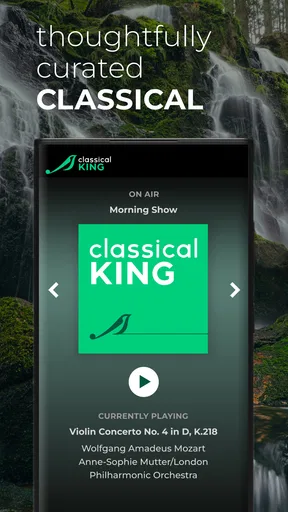
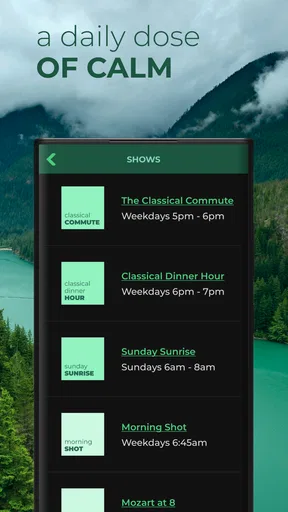
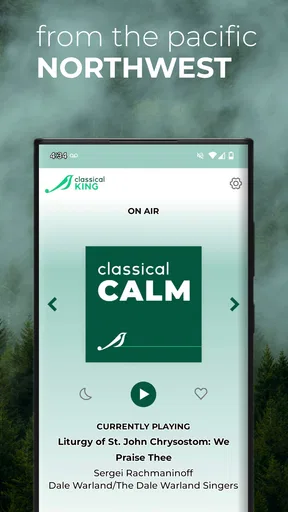
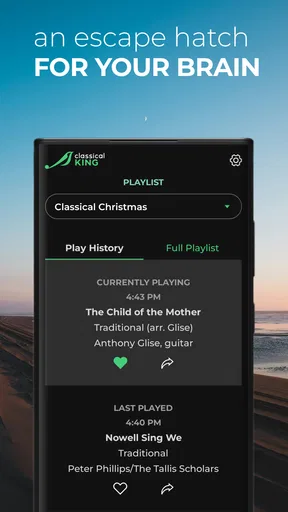
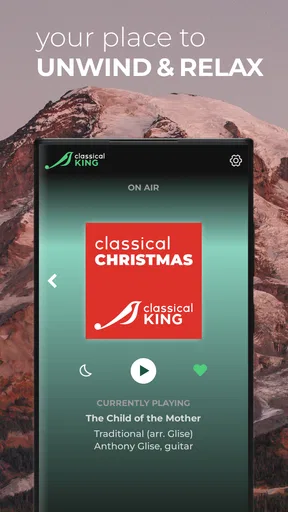
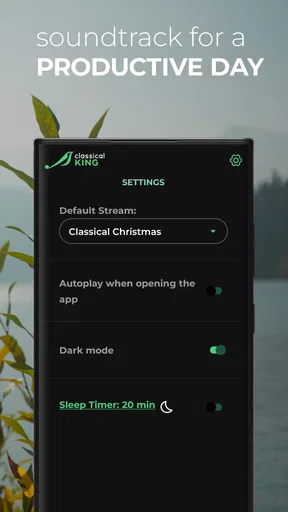
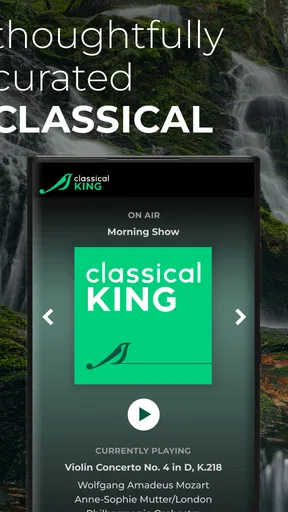
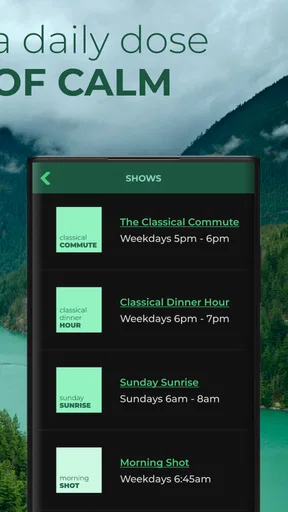
Our Review of Classical KING
 Analysis by Appyee
I spent time with Classical KING as a straightforward way to listen to a classical radio station from a phone. It belongs to the Music & Audio category, is free to use, and comes from Classical KING 98.1. The central appeal is simple: instead of building a playlist or searching through a large on-demand catalog, I can open the app and settle into a continuous classical music stream.
That simplicity is also the key to understanding the experience. This is not the best choice if you want a full music library, detailed artist pages, offline listening, or careful control over every track. It makes more sense for someone who wants a familiar station available while working, reading, cooking, commuting, or winding down. In my experience, the app feels most useful when I treat it as a live listening window rather than as a replacement for a complete streaming service.
How the listening experience works in everyday use
The app’s store summary focuses on high-definition classical streaming, and that promise sets the right expectation: the main task is listening. I do not need to spend time organizing albums or deciding what to play next. I can open the app when I want a calm musical background and let the station provide the programming.
That approach is particularly pleasant during activities where touching the phone is inconvenient. For example, I might start the stream before preparing dinner, place the phone safely away from the counter, and leave the music running while I move around the kitchen. The same workflow works during a study session, although I would still keep the device accessible if I needed to pause playback or respond to an interruption.
The trade-off is control. A conventional subscription service is better when I already know the exact concerto, composer, or recording I want. Classical KING is more like turning on a carefully focused radio station. Its strength is reducing choice, not expanding it. That can be refreshing for listeners who find large catalogs distracting, but limiting for anyone who expects queue editing, album exploration, or a personal collection.
I also found that the station format changes how I judge the app. I am less concerned with whether every interaction feels like a modern music library and more concerned with whether I can begin listening quickly. For this kind of product, a short path from opening the app to hearing music matters more than a crowded set of discovery tools.
Readability and navigation for different users
For a radio-focused app, clear navigation is especially important because many listeners will use it casually rather than study its interface. The most comfortable experience is likely to come from recognizing the primary listening action quickly and avoiding unnecessary movement through menus. I would recommend opening it once in a quiet moment, identifying the main playback route, and then using that same route later instead of exploring while driving or multitasking.
People with reduced vision may find a simple audio-first design easier than a visually dense music catalog, but that should not be confused with guaranteed accessibility. Text size, contrast, focus order, and compatibility with a device’s screen reader can affect whether the app feels comfortable. I would check those points on the particular Android or iOS device before depending on it as a daily listening tool.
There is a useful distinction here between fewer choices and better accessibility. A limited interface can reduce cognitive load, especially for someone who only wants to start a stream. However, if labels are small, controls are tightly spaced, or important information is presented visually without a clear spoken equivalent, the same simplicity may not help everyone.
I also would not assume that the high-definition positioning automatically explains technical details in a way every listener can understand. Some people care deeply about audio quality, while others mainly need stable, intelligible playback. The app’s value is easiest to judge with real listening: try it through the phone speaker, headphones, and any connected sound system you normally use, then decide whether the result suits your ears and surroundings.
Motor and sensory considerations while listening
The radio format can work well for users who want to minimize repeated taps. Once playback has started, the listener can focus on another activity instead of constantly selecting new tracks. That is a meaningful advantage for people who find frequent touch interactions tiring, uncomfortable, or difficult to perform accurately.
At the same time, the phone still needs to be handled for tasks such as launching the app, changing playback, or recovering from an interruption. Users with limited dexterity may prefer to prepare the stream before beginning an activity and keep the device in a stable, reachable location. A stand or a familiar home-screen position can make that routine less demanding, without requiring any special feature from the app itself.
For listeners who are sensitive to sudden changes in sound, a continuous station may be easier than jumping between unrelated recommendations, but radio programming is still not fully predictable. I would begin at a moderate volume and use headphones cautiously, particularly in quiet rooms or during long sessions. Classical music can move from delicate passages to powerful sections, so personal volume habits matter as much as the app’s audio presentation.
Listeners with hearing differences may also want to test the stream using the phone’s own audio controls and their usual headphones or hearing devices. A music app cannot make every recording equally comfortable for every listener. If balance, amplification, or other device-level adjustments are important to you, the final experience will depend partly on the operating system and audio equipment used alongside the app.
For people who cannot rely on audio, the app’s purpose naturally becomes less suitable. It is built around hearing a classical stream, not around displaying a rich visual alternative to the music. Someone looking for scores, synchronized lyrics, detailed visual descriptions, or a text-based way to follow the broadcast would probably be better served by a different kind of classical music resource.
Situational access: when the app earns its place
My favorite use case is background listening with just enough structure to keep the room from feeling silent. During reading, the station can provide atmosphere without forcing me to make a new decision every few minutes. During routine office work, it can be more relaxing than general-purpose playlists because the musical focus stays within the classical format.
It is also useful for people who want a familiar station away from a traditional radio. A phone can be easier to place near a desk or carry from room to room, and the free price removes a subscription decision. The app has reached over one hundred thousand installs, which suggests that this station-based approach has found a substantial audience, even though its average rating is 3.8 from around five hundred ratings.
Those figures give me a balanced impression rather than a reason to dismiss it. The rating indicates that the experience is not universally smooth, while the install count shows that many listeners still find the basic idea worthwhile. I would read the app as a focused utility with a specific audience, not as an all-purpose audio platform expected to satisfy every listening style.
For commuting, I would be more cautious. A live stream depends on the quality of the connection and the listening environment, and I would not interact with the phone while driving. The app may be convenient before leaving home or when used by a passenger, but a driver should set everything up in advance and follow local safety rules. Someone who needs dependable listening in places with weak connectivity may prefer an offline-capable service instead.
The same issue applies to travel. In a hotel room, waiting area, or quiet workspace with a reliable connection, the app can be an easy companion. In a basement, rural area, or airplane without suitable access, a downloaded collection is more dependable. This is one of the most important practical distinctions between a station stream and an offline music application.
Where it differs from ordinary music alternatives
Compared with a large on-demand service, Classical KING asks much less of me. I do not have to maintain a library, compare recordings, or decide whether an algorithm understands my taste. That is a real benefit when I want music now and do not want another project. The focused station identity can also feel more intentional than an endless sequence of loosely related recommendations.
Compared with a traditional radio receiver, the phone format is more flexible in where I listen, assuming the stream is available through my connection. It also suits people who already keep their phone nearby throughout the day. However, a physical radio can be more immediate for some users, especially those who prefer a large tactile control, do not want to look at a screen, or need a device that is always ready in one familiar location.
Compared with a podcast app, this is better when I want music rather than speech and do not want to choose an episode. Compared with a personal music player, it is better when discovery and continuity matter more than ownership or exact sequencing. These are not small differences: the right choice depends on whether you value convenience, control, offline reliability, or a low-effort listening routine.
I would skip it if my main goal were to search for a specific performance, compare several interpretations, build composer-based playlists, or listen without a network connection. I would also look elsewhere if I wanted extensive accessibility customization clearly documented before installation. The app may still work for some users in those groups, but its focused radio purpose does not directly solve those needs.
Remaining barriers and practical ways around them
The first barrier is that streaming is not the same as owning a local audio file. Connection quality can shape whether the experience feels effortless or frustrating. I would test the app in the places where I actually plan to use it rather than judging it only from a strong home connection. If playback is intended for a long session, starting the stream before settling into the activity is a sensible habit.
The second barrier is the limited amount of control that comes with station listening. If a piece is not to my taste, I may have fewer ways to redirect the session than I would in a catalog-based service. That is the price of convenience. I find the app most satisfying when I accept a little unpredictability and use it for mood, concentration, or companionship rather than for a carefully engineered playlist.
A third barrier concerns device interaction. Even a simple player can become awkward if the phone is locked away, the controls are difficult to reach, or another audio source takes over. Before relying on it in a routine, I would try starting, pausing, and resuming the stream under realistic conditions. This small test can reveal more than a quick launch at a desk.
The application has been available since June 2011 and is currently at version 7.0.8, with a minimum operating system requirement of 11. That makes device compatibility an important first check, particularly for anyone using an older phone or tablet. The age rating is Everyone, so the app is positioned for a broad audience, but an age label does not tell me whether the interface will suit every ability or listening environment.
I would also avoid promising a particular experience to another person without letting them try it. A listener who is comfortable with a simple stream may find it pleasantly direct, while someone who needs large controls, strong non-audio feedback, or extensive playback settings may encounter friction quickly. Inclusive recommendations should leave room for that difference.
My inclusive verdict on Classical KING
After using it as a focused listening tool, I see Classical KING as a good fit for people who want free classical music streaming without the workload of managing a full library. Its strongest quality is the narrow purpose: open it, begin listening, and let the station fill the space. That can support calmer routines and reduce the number of decisions required from the listener.
The experience is less convincing for users who need offline playback, exact track selection, extensive visual information, or clearly documented accessibility controls. Those are not minor preferences; they can determine whether the app is genuinely usable. Before committing to it, I would test navigation with the device settings I depend on, listen through my usual audio equipment, and try it in the location where I expect to use it most.
Classical KING is free, carries an Everyone age rating, and has been developed by Classical KING 98.1. Its current version is 7.0.8, and the minimum operating system is 11. The app has earned an average of 3.8 from around five hundred ratings, while its audience has grown beyond one hundred thousand installs. I take that combination as a sign of a useful but specialized product: appealing when its radio-first design matches your habits, less suitable when you expect a complete music platform.
My recommendation is therefore conditional but positive. If you want a low-effort classical stream for reading, household tasks, or quiet background listening, I would give it a try. If you need precise control, reliable offline access, or strong support for non-audio ways of following music, I would choose a more feature-rich alternative. The app does not need to do everything to be worthwhile; it simply needs to make its focused listening role work for the person holding the phone.
Verdict
Strengths of Classical KING
- Simple rules make it easy for beginners to start playing.
- Classic card-table feel suits players who prefer traditional solitaire.
- Short rounds work well for quick breaks or casual sessions.
- Offline play can be convenient when an internet connection is unavailable.
- Familiar gameplay makes it accessible to a wide range of ages.
Limitations of Classical KING
- Limited variety may become repetitive for experienced solitaire players.
- Ads may interrupt play or reduce the overall enjoyment.
- Some features may require in-app purchases or premium access.
- Older devices may experience slower performance or occasional glitches.
- The game offers little social interaction for players seeking multiplayer fun.
Similar Picks in This Category
View All
YouTube Music
Google LLC4.4

Samsung Music
Samsung Electronics Co., Ltd.3.8

Spotify: Music and Podcasts
Spotify AB4.3

JioSaavn - Music & Podcasts
Saavn Media Limited4.3

Lark Player:Music Player & MP3
Lark Player Studio - Music, MP3 & Video Player4.6

StarMaker: Sing Karaoke Songs
SKYWORK AI PTE. LTD.4.3
Frequently Asked Questions
What is Classical KING and how is the game played?
Classical KING is a traditional board-game app built around the classic King, also known in many regions as Checkers or Draughts. You move pieces diagonally across the board, capture opposing pieces by jumping over them, and try to remove all of your opponent’s pieces or block their legal moves. The app is designed for players who enjoy strategy, planning, and short competitive matches.
Can I play Classical KING without an internet connection?
Classical KING may support offline play depending on the version installed and the selected game mode. Local matches against the device are generally the most suitable option when you do not have an internet connection. Online features, if included, normally require mobile data or Wi-Fi. It is worth checking the app’s current store description because offline availability and multiplayer options can change between updates.
Does Classical KING include different difficulty levels or game modes?
The game is intended to accommodate both casual players and people who already understand classic board-game tactics. Depending on the release, you may find several artificial-intelligence difficulty levels, local two-player matches, and possibly online or challenge-based modes. Beginners can start with easier opponents to learn movement and capturing rules, while experienced players can select stronger opponents for more demanding games.
Is Classical KING suitable for beginners and children?
Classical KING can be suitable for beginners because the basic rules are simple to understand, while the strategy becomes more challenging with experience. Players should still review the specific rule set used by the app, since variations can differ in mandatory captures, king movement, and winning conditions. Parents should also check the app’s age rating, advertisements, and any online interaction before allowing children to play.
Is Classical KING free to download, and does it contain advertisements or in-app purchases?
The download model for Classical KING can vary according to the platform, region, and current developer release. Some versions may be free with advertising, while others can offer optional purchases to remove ads or unlock additional features. Before installing, review the Google Play or App Store listing for the latest pricing, permissions, subscription information, and in-app purchase details so there are no unexpected costs.
